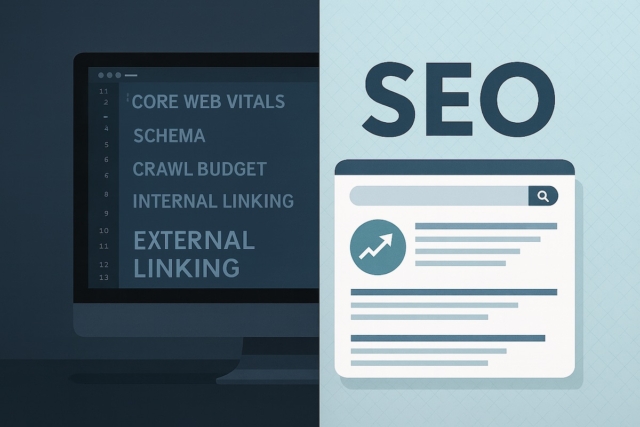

A good website should do more than look finished. It should make your services easy to understand, give customers a clear path to enquire and give Google enough structure to crawl, interpret and trust the page. That is the real job of SEO-friendly website design – and whether you call it SEO-friendly web design or SEO-friendly website design, the work is the same: building search visibility into the structure rather than bolting it on afterwards.
The strongest results usually come when design, content, development and SEO are planned together. If the SEO conversation starts after the site has launched, the important decisions may already be locked in: page names, menus, headings, copy, images, redirects and tracking.
What SEO-Friendly Website Design Means
SEO-friendly website design means building each important page around a clear purpose. A service page should explain the service, answer the questions a buyer is likely to ask and guide them toward the next useful step. A blog guide should answer a specific research question and point readers towards the right service when they need help.
It also means the website has a clean technical base. Search engines need crawlable links, useful titles, logical headings, fast templates, mobile-friendly layouts, helpful internal links and structured data that matches the visible page. Customers need the same thing in plainer terms: a website that loads quickly, reads well and makes the next step obvious.
If you are planning a new site, our responsive website design services cover the design and build side, while SEO support for web design projects can help shape page structure, content priorities and launch checks.
Why It Matters Before Design Starts
SEO becomes harder when it is treated as a finishing task. A site can look polished while still hiding important service pages, using vague headings, loading heavy images, publishing thin copy or removing old URLs without redirects. Those are design, content and development decisions as much as SEO decisions.
Planning SEO before design starts helps the project answer practical questions early: which pages does the site need, what should each page prove, which terms belong to a service page, which questions need supporting guides and how will visitors move from research to enquiry?
SEO-Friendly Website Foundations
1. Plan Pages Around Search Intent
Before writing or designing a page, decide what job it has. A page targeting service enquiries should not read like a generic blog post. A guide answering a research question should not pretend to be a sales page. Clear ownership helps prevent several pages from competing for the same search intent.
- Map one main purpose to each important page.
- Use supporting pages to answer detailed questions, then link back to the relevant service.
- Keep the main navigation focused on the pages customers actually need.
2. Make Speed and Mobile Usability Non-Negotiable
Most customers will not wait patiently for a slow page, especially on mobile. Heavy images, unnecessary scripts and awkward mobile layouts can make a site harder to use before anyone reaches the enquiry button.
Use properly sized images, simple layouts, clear tap targets and templates that do not depend on excessive scripts. Our Core Web Vitals guide explains the performance side in more detail.
3. Build a Clean, Crawlable Structure
Google needs to discover and understand your pages. That means important pages should be linked from useful places, URLs should be stable, headings should describe the content and the site should avoid duplicate or orphaned pages.
- Use descriptive URLs that can survive future redesigns.
- Keep one clear H1 and use H2s and H3s to organise the page.
- Add internal links where they genuinely help the reader move forward.
- Use schema only when it matches visible content, such as articles, services, breadcrumbs or FAQs.
4. Write Clear, Useful Content
SEO-friendly content still has to read like something a customer would trust. Keywords can help describe the topic, but they should not make the copy stiff. The page needs a strong opening, useful section order, natural language and answers that move the reader closer to a decision.
For service pages, that usually means explaining what you do, who it is for, what the process involves and what the customer needs to prepare. For guides, it means answering the question fully and linking to the right next step without turning every paragraph into a pitch.
5. Protect SEO During Redesigns
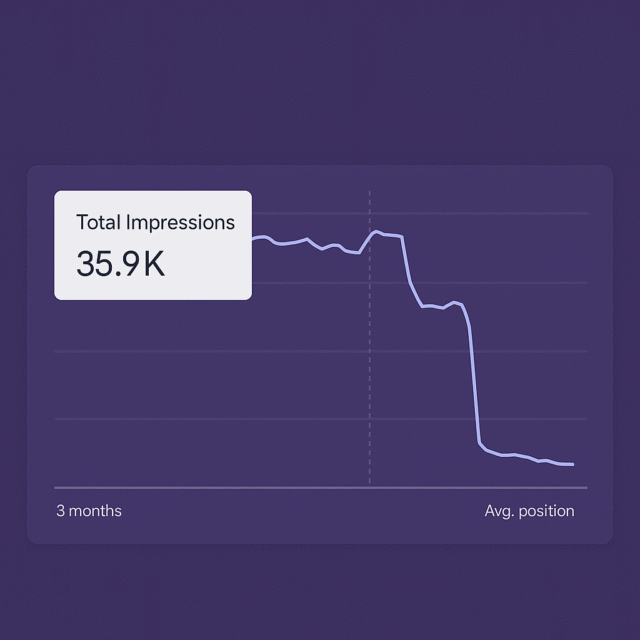
A redesign can accidentally damage search visibility if useful pages are removed, URLs change without redirects or important content is replaced by lighter copy. Before launch, check which pages already get impressions, clicks, backlinks or enquiries.
The technical SEO and web development guide covers crawlability, redirects, canonicals and launch checks in more depth.
6. Measure What Happens After Launch
An SEO-friendly website is not finished the day it goes live. Search Console, analytics, enquiry quality and customer feedback should shape the next round of improvements. The first version needs to be strong, but the best gains often come from reviewing real data and improving the pages that already show demand.
How to Check if Your Website is SEO-Friendly
Use this as a practical review before a build, redesign or SEO audit:
- Does each important page have one clear purpose and one main search intent?
- Can a visitor understand what you offer without reading several pages first?
- Do titles, descriptions, headings and body copy describe the page naturally?
- Are images compressed, sized properly and given useful alt text?
- Can Google and users reach important pages through normal links?
- Have old URLs, redirects, canonicals, forms and tracking been checked before launch?
If several of those points are unclear, the site may need an SEO review, a content restructure or a more careful launch plan.
When to Get SEO and Web Design Support
Support is most useful before the site structure is signed off, before content is written and before a redesign goes live. That is when page ownership, internal links, technical SEO, redirects and measurement can still be handled without expensive rework.
If the site is already live, the same review can still help. Start with the pages that have impressions, enquiries or business value, then improve the content, structure and calls to action in a sensible order. You can ask for SEO support or start a website quote if the project needs a wider design and build plan.
SEO-Friendly Web Design FAQs
How do I make a website SEO friendly?
Work through it in this order. Give every important page one clear purpose and one search intent. Write a descriptive title, meta description and single H1 that match what the page actually covers. Keep URLs short, readable and stable. Make sure the page loads quickly on a phone, with compressed, correctly sized images and useful alt text. Link important pages from places people and Google will actually reach. Add schema only where it matches visible content. Then check the whole thing in Search Console after launch and improve the pages that already show demand. If you are redesigning rather than starting fresh, add redirects for every URL you change – that single step protects more visibility than anything else on the list.
Should SEO be planned before web design starts?
Yes. SEO should influence page structure, content hierarchy, URLs, headings, internal links, redirects and tracking before design decisions are locked in. It is much easier to build those foundations in early than to repair them after launch.
Can web design alone make a website rank?
No. Design can support SEO by improving speed, usability, structure and content presentation, but rankings also depend on search intent, competition, content quality, technical health, authority and ongoing improvement. Be careful with anyone promising rankings from design alone.
What should be checked before a redesign goes live?
Check current high-value pages, page titles, descriptions, H1s, internal links, redirects, canonical tags, image handling, forms, analytics, Search Console access and XML sitemap updates. The aim is to improve the site without losing useful existing signals.
Can Corsto help with both SEO and web design?
Yes. Corsto can help plan website structure, SEO-friendly content, responsive design, technical checks and launch routing for UK businesses. The right starting point depends on whether you need a new build, a redesign or SEO improvements to an existing site.
Get an SEO-Friendly Website Plan
If you are planning a new website, rebuilding an existing one or trying to understand why a good-looking site is not generating enough useful traffic, start with the structure. A clear plan for pages, content, SEO foundations and launch checks gives the design a stronger job to do.