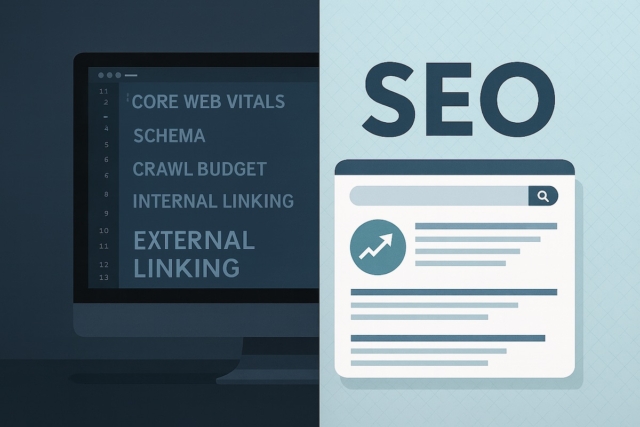

Staying on top of the latest web design trends and best practices is crucial for maintaining a competitive edge online. With a well-designed website, businesses can not only enhance user engagement but also achieve better SEO performance and drive conversions. Below, we dive deep into the web design practices that matter most, offering insights on how businesses can create websites that cater to both users and search engines.
If you would rather have it handled for you, our business web design service plans and builds the site around your goals.
What Matters Most in 2026
The fundamentals below have not changed, but the priorities have shifted over the last couple of years. If you are refreshing your site in 2026, these are the areas today’s best guides lead with:
- Core Web Vitals, including INP. Google now measures Interaction to Next Paint in place of First Input Delay, so how quickly your pages respond to a tap or click is a ranking and experience factor, not just raw load speed.
- Being visible in AI answers. More people get their first answer from AI overviews and chat assistants. Clear headings, genuine expertise and structured data all help your content get quoted rather than skipped.
- Accessibility as a baseline. With the European Accessibility Act now in force, meeting WCAG standards is moving from nice-to-have to expected. It widens your audience and tends to improve usability for everyone.
- First-party data and privacy. As third-party cookies fade, sites lean more on their own analytics, clear consent, and fair value-for-data exchanges such as a genuinely useful newsletter.
- Purposeful motion. Subtle micro-interactions and tasteful animation can guide attention, but only when they are quick and never get in the way of the content.
None of this replaces the basics; it sits on top of them. So the ten practices that follow are still exactly where you should start.
1. Embrace Minimalism with Purpose
Minimalism remains at the forefront of modern web design, focusing on clear and concise layouts that eliminate clutter and distractions. The appeal of minimalist web design lies in its simplicity, helping users quickly find what they need while creating a visually pleasing experience. Minimalist designs also improve website performance by reducing page load times, which is a key factor for SEO.
Best Practices for Minimalism in Web Design:
- Whitespace: Use whitespace strategically to give elements room to breathe and guide users’ attention to important areas.
- Simple Colour Schemes: Stick to 2-3 colours that align with your brand, avoiding overly complex palettes.
- Focused Content: Minimise content to only essential information, presenting it in a clear, straightforward way.
By focusing on minimalism, you’re prioritising usability and readability—two factors that greatly enhance user experience.
2. Prioritise Mobile-First Design
With over 60% of all website traffic now coming from mobile devices, mobile-first design is no longer optional. Adopting a mobile-first strategy means designing with smaller screens in mind first and then scaling up for desktops. This approach improves accessibility and ensures users enjoy a seamless experience, regardless of their device. Google also prioritises mobile-friendly websites in search results, making it essential for SEO optimisation.
Steps for a Mobile-First Approach:
- Flexible Layouts: Use responsive design elements that adjust seamlessly to any screen size.
- Optimise Touch Elements: Ensure buttons and interactive elements are large enough to be easily clicked on small screens.
- Prioritise Content: Only display essential content on smaller screens, minimising heavy visuals and background effects.
3. Speed and Performance Optimisation
Site speed significantly impacts user experience and search rankings. Websites that load quickly not only keep users engaged but also reduce bounce rates, a critical metric for SEO-friendly design. Site speed is crucial as users expect fast, smooth experiences, with each extra second of load time leading to potential drop-offs.
Key Techniques for Boosting Website Speed:
- Image Optimisation: Compress images without sacrificing quality and use modern formats like WebP for lighter files.
- Lazy Loading: Delay loading images and other elements until they appear on the user’s screen, reducing initial load times.
- Minimise Code: Remove unnecessary code and optimise CSS, HTML, and JavaScript files to ensure streamlined performance.
These practices make a tangible difference in user experience and help improve your website’s search rankings by meeting Google’s Core Web Vitals benchmarks.
4. AI and Personalisation
Artificial intelligence (AI) is changing the web design landscape, allowing websites to offer personalised experiences based on user behaviour. Incorporating AI elements such as chatbots, product recommendations, and interactive content can elevate user experience by delivering relevant content in real-time. Personalisation also keeps users on your site longer, positively affecting user engagement and conversions.
Ways to Use AI in Web Design:
- AI Chatbots: Provide instant answers to user queries, improving customer support and engagement.
- Personalised Recommendations: Use AI to display relevant products or content, enhancing user experience.
- Predictive Search Features: Implement predictive text or search suggestions that guide users to what they’re looking for.
By using AI thoughtfully, you can create dynamic and tailored experiences that make users feel valued and understood.
5. User-Centred Design and Usability
User-centred design places the needs of the audience first, creating a seamless and intuitive experience. This approach improves navigation and user satisfaction, encouraging visitors to spend more time on your site and increasing their likelihood of converting. User-centred design principles also involve gathering data and feedback to continuously refine the experience based on real user needs.
Best Practices for a User-Centred Website:
- Consistent Layout: Keep layouts and design elements consistent to reduce cognitive load and guide users effortlessly.
- Intuitive Navigation: Use clear menus, breadcrumbs, and calls-to-action to lead users through the site.
- Accessibility: Ensure your website meets accessibility standards by providing alt text, using readable fonts, and adding keyboard-friendly navigation.
User-centred design creates a positive and cohesive experience that both users and search engines appreciate, helping you rank better while improving user satisfaction.
6. Voice Search Optimisation
Voice search is becoming increasingly popular, driven by smart speakers, mobile voice assistants, and wearable tech. To optimise your site for voice search, consider how users phrase their questions verbally, which tends to be more conversational than text-based search queries. Integrating natural language and targeting long-tail keywords will help improve visibility in voice search results, as well as enhance SEO.
Voice Search Optimisation Tips:
- Use Conversational Keywords: Focus on long-tail keywords and phrases that mimic natural speech.
- Optimise for Local Search: Many voice searches are location-based, so include location keywords if relevant.
- Structure Content for Featured Snippets: Create clear, concise answers that might appear in Google’s featured snippets, which voice assistants often reference.
By optimising for voice search, you can capture a growing segment of the market and improve your site’s chances of being included in voice search results.
7. High-Quality Visuals and Multimedia
Incorporating high-quality images, videos, and infographics into your website creates an engaging experience that attracts users. Quality visuals contribute to the aesthetic appeal and brand image, while multimedia elements like videos can help keep visitors on your site for longer, boosting engagement and supporting SEO-friendly practices.
Best Practices for Visual Content:
- Image Optimisation: Compress images to maintain quality without sacrificing site speed.
- Video Content: Use videos to explain complex concepts or promote products; however, avoid auto-play settings.
- Infographics: Summarise complex information visually to make it easier for users to understand and retain.
Using well-optimised visuals increases user engagement and strengthens your brand presence online.
8. Accessibility Standards
Creating an accessible website is a crucial part of modern web design. Accessibility ensures that your website can be used by individuals with various abilities, including those who may use assistive technologies. By adhering to accessibility standards like WCAG, you’ll not only reach a wider audience but also create a more inclusive user experience, which search engines recognise as a ranking factor.
Accessibility Guidelines to Follow:
- Alt Text for Images: Provide descriptive alt text for all images, enabling screen readers to interpret them for visually impaired users.
- Keyboard Navigation: Ensure all elements can be accessed using a keyboard, without requiring a mouse.
- Colour Contrast: Use high-contrast colours to make text and elements easier to see for users with vision impairments.
A commitment to accessibility reflects positively on your brand and strengthens your website’s overall usability.
9. Strategic Calls-to-Action (CTAs)
Effective CTAs are critical to guiding users toward desired actions, such as signing up for a newsletter, making a purchase, or filling out a contact form. A successful CTA is clear, compelling, and placed in prominent locations on your page. Well-designed CTAs can significantly impact conversion rates, making them a key element of user-friendly website design.
CTA Best Practices:
- High-Contrast Colours: Use contrasting colours to make CTAs stand out without overpowering other elements.
- Clear Wording: Use direct, action-oriented language, such as “Get Started” or “Download Now.”
- Strategic Placement: Place CTAs in visible locations, such as at the top of pages or after a valuable piece of content.
An optimised CTA enhances user experience and conversion rates, aligning with both design and business goals.
10. Enhance Security Measures
A secure website fosters trust, an essential component of a positive user experience. Users are more likely to engage with and return to a website they feel is safe, particularly if they need to share personal or payment information. Secure websites also receive preferential treatment in Google rankings, making security a priority for both SEO optimisation and user experience.
Essential Security Features for Websites:
- SSL Certificates: Protect user data with an SSL certificate, ensuring that all information is encrypted.
- Regular Updates: Keep your website’s CMS, plugins, and themes up to date to prevent vulnerabilities.
- Data Protection: Implement privacy policies and inform users about data collection practices.
Focusing on security establishes trust, improves your site’s ranking potential, and protects users from potential threats.
Protecting your work matters too. If you ever find your content or design has been copied, our guide on what to do if someone copies your website walks through the takedown steps.
Wrapping Up
Today, web design is more than just creating a visually appealing site—it’s about delivering a comprehensive, user-centred experience that incorporates speed, functionality, and accessibility. By adopting these web design best practices, businesses can stay relevant, improve user satisfaction, and boost search engine visibility.