
Small business website design should start with the job the website needs to do, not with a template or feature list. A useful small business website explains what you do, who you help, why people can trust you and how they can take the next step.
In a specific trade? We also have dedicated guides such as web design for electricians.
If most of your customers are nearby, see our guide to web design for local businesses and how good design supports your local SEO.
That might mean a lean brochure site, a service-led website, an ecommerce build or a site that can grow into deeper search engine optimisation services over time. The important thing is to plan the pages, content and support around real customers rather than guessing.
What Does a Small Business Website Cost?
Straight answer first, because it is what everyone wants to know. Across the UK, small business websites typically range from around £500 for a smart, focused site to several thousand pounds for a larger, fully bespoke build with extras like an online shop or booking system. A DIY builder can look cheaper up front, but the monthly fees and your own time often make it dearer in the end.
Corsto’s own small business websites start from £500, with the final figure set by scope. There is a fuller cost breakdown below, or you can get a firm number from our website quote form.
Why Your Small Business Needs a Website
Many small business owners wonder if they really need a website, especially if they already rely on social media, referrals or local directories. A website gives your business a stable home that you control.
- Credibility and trust: people can check who you are, what you do and whether you look like the right fit.
- Clear service information: your website can explain services in more depth than a social profile.
- Search visibility: useful pages can help Google understand the services, topics and locations you should be associated with.
- Better enquiries: a clear website can filter out poor-fit enquiries and help better-fit customers contact you with the right context.
DIY Website Builder vs a Professional Website
Most small businesses weigh up a do-it-yourself builder (Wix, Squarespace, GoDaddy) against having a site built properly. Both have their place:
- A DIY builder is cheap and quick to start, and fine as a simple placeholder if your budget is truly tiny and you have time to learn it. The trade-offs: templated looks, limited SEO, monthly fees that add up, and it is all on you to build, fix and maintain.
- A professional website costs more up front (ours start from £500) but is built around your business, set up to rank on Google, faster and more secure, and someone else looks after the tricky parts. It tends to win you more enquiries, which is the whole point.
A rough rule: if the website is a nice-to-have, a builder may do; if it is how customers find and judge you, it is worth building properly. You can also start professional but simple, then grow it over time.
Step 1: Choose the Right Platform for Your Website
Small businesses have many options when it comes to website platforms. The right choice depends on what you need the site to do now and what it may need to do later.
- WordPress - a flexible option for service pages, blogs, landing pages and many small business websites.
- Wix and Squarespace - useful for simple DIY sites, but check content editing, SEO control, enquiry tracking and future flexibility.
- Shopify - often a strong fit for focused ecommerce businesses that need product, payment and order tools.
- Custom development - useful when the site needs bespoke workflows, integrations, design control or more complex functionality.
If you are comparing a DIY builder with a professional site, look beyond the launch price. Ask who will write the content, manage updates, improve SEO, fix issues and measure enquiries after launch.
Step 2: Plan Your Website Structure & Key Pages
Your small business website should be easy to navigate and include the pages a customer needs before making contact. A simple sitemap also makes a web design quote clearer because everyone can see the likely scope.
- Home - a clear introduction to your business, main services and next step.
- About - who you are, who you help and why customers can trust you.
- Services or products - a clear breakdown of what you offer, ideally with a separate page for each important service.
- Proof - approved reviews, examples, credentials or links to case studies.
- Contact - make it easy for customers to get in touch with a form, phone number, email or quote route.
- Advice or blog content - useful when it answers genuine customer questions and supports search demand.
Step 3: Design a Mobile-Friendly & Responsive Website
Small business websites are often checked quickly on a phone before someone calls, books or asks for a price. Responsive website design services should make the important actions easy on small screens, not just shrink the desktop version.
- Keep navigation simple and make service pages easy to reach.
- Use clear headings, readable text and buttons that are comfortable to tap.
- Optimise images and avoid heavy media that slows first load.
- Test forms, phone links and quote links on real mobile viewports.
Step 4: Make Your Website SEO-Friendly
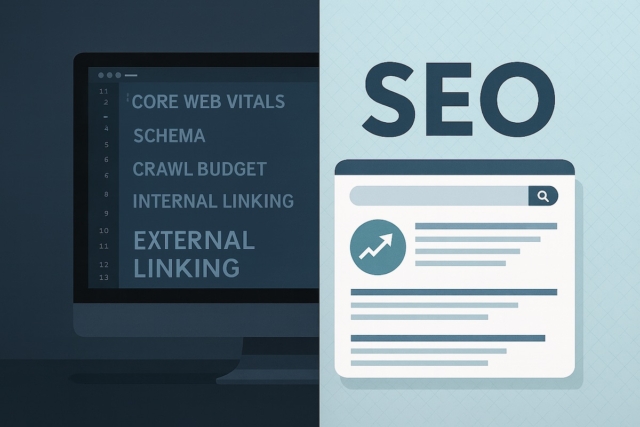
SEO-friendly web design means search planning, content structure and technical basics are considered before the site is built. It is much easier to build sensible pages from the start than to retrofit everything later.
- Use natural service language in headings, titles and body copy.
- Write helpful title tags and meta descriptions for important pages.
- Use descriptive image alt text and compressed image files.
- Link between related pages so readers and search engines understand the site structure.
- Answer real customer questions instead of publishing thin posts for every keyword variation.
Step 5: Secure Your Website & Choose Reliable Hosting
Security and support protect the work after launch. A site that is hard to update, slow to fix or left unmaintained can become a problem even if the launch looked good.
- Use HTTPS, reliable hosting and regular backups.
- Keep WordPress, plugins and themes updated if the site uses them.
- Agree who handles fixes, content changes and technical checks after launch.
- Consider website support if you want help with updates, maintenance and smaller improvements.
Step 6: Promote Your Website & Drive Traffic
Once your website is live, you need to help the right people find it and give yourself a way to learn what is working.
- SEO: improve important pages using Search Console data, customer questions and technical checks.
- Local profiles: keep Google Business Profile and other relevant listings accurate.
- Paid ads: use PPC or social ads when the offer, landing page and tracking are ready.
- Email and social: share useful content that sends people back to relevant pages.
- Measurement: track enquiries, calls and useful form submissions so improvements are based on evidence.
The Must-Haves UK Law Requires
A few things are not optional for a UK business website. It is worth getting them right from the start:
- A privacy policy (UK GDPR). If you collect any personal data at all – even a contact form or analytics – you must explain what you collect, why, and how people can contact you about it.
- Cookie consent (PECR). Non-essential cookies, such as analytics, ads or embedded video, need clear consent before they load, usually through a cookie banner.
- Your business identity. Limited companies must show the company name, registered number, country of registration and registered office address, usually in the footer or a legal page. Sole traders should still make the business easy to identify and contact.
- Accessibility. The Equality Act expects reasonable adjustments so disabled visitors can use your site. Following the WCAG basics – good contrast, alt text and keyboard access – keeps you on the right side of it and helps SEO too.
- Terms and clear pricing if you sell online. Online shops need terms, returns and cancellation information and transparent pricing under UK consumer law.
We build these in as standard, so your site starts out compliant. This is general guidance rather than legal advice, so check anything specific with a professional.
How Much Does a Small Business Website Cost in the UK?
Our small business websites start from £500. What moves the price is mostly scope:
- How many pages you need, and whether the design is largely templated or fully bespoke
- Extras like an online shop, booking system or member area
- Whether you provide the words and photos, or need us to create them
- A one-off build versus an ongoing, maintained site
How long does it take? A straightforward small-business site is usually a few weeks from go-ahead to launch. The biggest variable is rarely the build itself – it is how quickly content, photos and feedback come back, so the projects that fly are the ones where that is ready. We will give you a realistic timeline with your quote. Tell us what you need on our website quote form.
Small Business Websites We Have Built
A website works best when it is built around a real business. A few small businesses we have worked with:
- GR8 Tool Hire (Cambridge) – clearer equipment pages and a stronger enquiry journey for a local hire business.
- A Class Care (Cambridgeshire) – a care-sector rebuild that explains services clearly and improves online visibility.
- Cooleraid (Newmarket) – a website, SEO and brand refresh for a service-led provider.
See more in our case studies, and ask us for examples close to your sector.
Why Choose Corsto Web Design for Your Small Business Website?
A small business website should be planned around your customers, content, budget and next stage of growth. Corsto can help with practical web design planning, build work, SEO and support where a professional site is the right next step.
Start with the main web design service if you need help planning or rebuilding the site. If budget and scope are still unclear, the website cost and quote planning guide explains why page count, content, functionality and support all affect the final quote.
Get a Professional Website for Your Small Business Today
Before asking for a quote, prepare your main services, target customers, rough page list, examples you like, content gaps and any SEO or support needs. That makes the conversation clearer and helps avoid building the wrong thing.
When you are ready, use the website quote form or contact us if you need a softer starting point.