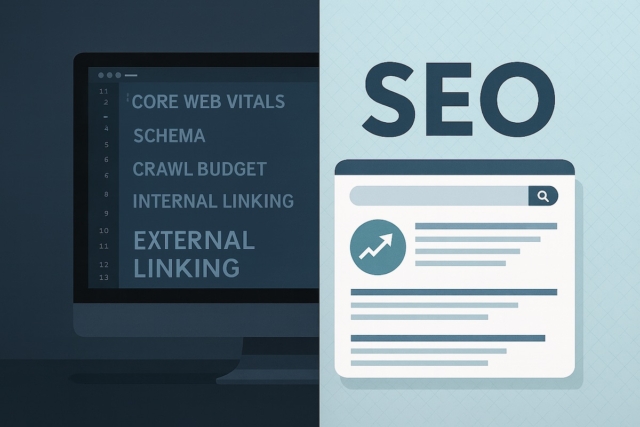

Web design and SEO should not be treated as separate jobs. Design shapes how fast a page loads, how clearly a visitor understands the offer, how easily search engines can crawl the content, and whether someone feels confident enough to enquire.
This is why an attractive website can still struggle. If the layout hides the useful content, the pages are slow on mobile, headings do not match the search intent, or the next step is unclear, the design is working against both SEO and conversion.
Why Design and SEO Should Be Planned Together
SEO brings the right people to the page. Design helps them understand, trust and act. When those two pieces are planned together, a page can answer the search query and guide the visitor towards the right next step.
For a business website, this usually means pairing clear service content with fast templates, sensible headings, readable layouts, internal links and calls to action that match the reader’s stage. Our responsive web design services are built around that mix of design, content and practical usability.
Design Choices That Affect SEO
- Page layout: important headings, service details, proof and FAQs need to be visible and readable, not hidden behind vague tabs or image-only blocks.
- Navigation: users and crawlers need clear routes to services, guides, case studies and contact options.
- Content hierarchy: a good H1, logical H2s and useful body copy help readers scan the page and help search engines understand the topic.
- Media choices: images and video can build trust, but large files, missing alt text and poor cropping can hurt speed and accessibility.
- Calls to action: buttons and links should match the intent. A reader comparing services may need a guide or proof page before a quote form.
Speed, Mobile and Core Web Vitals
Most design decisions affect performance in some way. Hero images, fonts, animations, scripts and embedded tools can all add weight. The aim is not to remove everything interesting; it is to keep what helps the customer and remove what slows the page without adding value.
Use Core Web Vitals as a diagnostic tool rather than a vanity score. If important pages have slow loading, poor responsiveness or layout shifts, our Core Web Vitals guide explains how to prioritise the fixes.
Content Structure and Internal Links
Design should make the content easier to understand. A service page needs enough plain-language detail for the buyer to decide whether the service fits. A guide should answer the question clearly, then link to the relevant next step.
Internal links matter here. They help readers move between related advice, service pages and proof. They also help search engines understand which page owns a topic. For example, a design-focused guide can link naturally to search engine optimisation services where the reader needs ongoing SEO work.
Trust, Accessibility and Conversions
Good design reduces doubt. It makes contact details easy to find, keeps text readable, presents proof clearly and works for people using different devices or assistive technology. Accessibility is not just a compliance concern; it is part of making the page useful to real visitors.
Proof also needs the right placement. If a page claims a service can improve visibility or enquiries, readers should be able to see relevant examples, team context or next-step guidance. Where approved examples exist, case studies can support that trust without overclaiming results.
What to Fix First
Start with pages that already matter: service pages, quote pages, high-impression guides, and pages that people visit before contacting you. Look for places where design and SEO are pulling in different directions.
- If the page gets impressions but no clicks, review the title, description, H1 and answer quality.
- If people land but do not enquire, review clarity, proof, calls to action and whether the next step fits the intent.
- If the page is slow or unstable, review images, scripts, hosting, templates and Core Web Vitals.
- If search engines may not understand the page, review headings, internal links, schema and crawlable content.
When a redesign is being planned, involve SEO early. The technical SEO and web development guide explains how structure, performance, crawlability and design decisions can work together from the start.